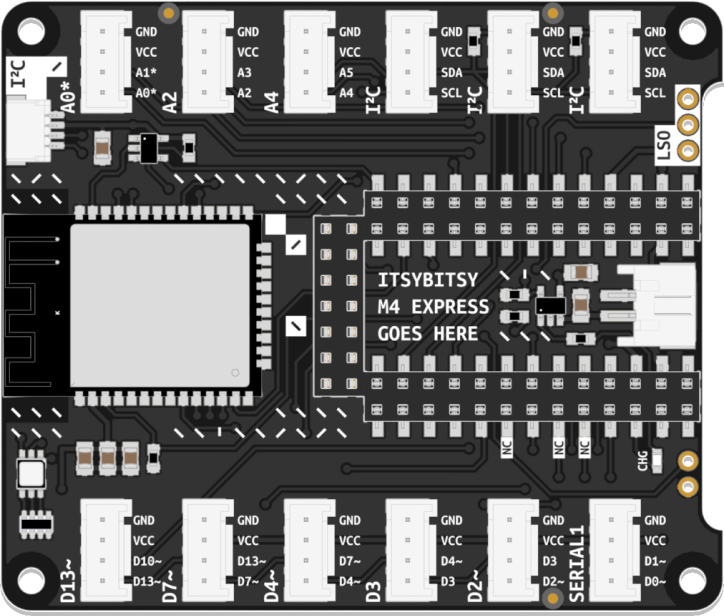
Bluetooth


With this modification you can use the bluetooth functionality of your ItsyBitsy Expander, it makes it possible to send and receive serial communication to your smartphone.
How to use bluetooth on your BitsyExpander:
Solder the connections
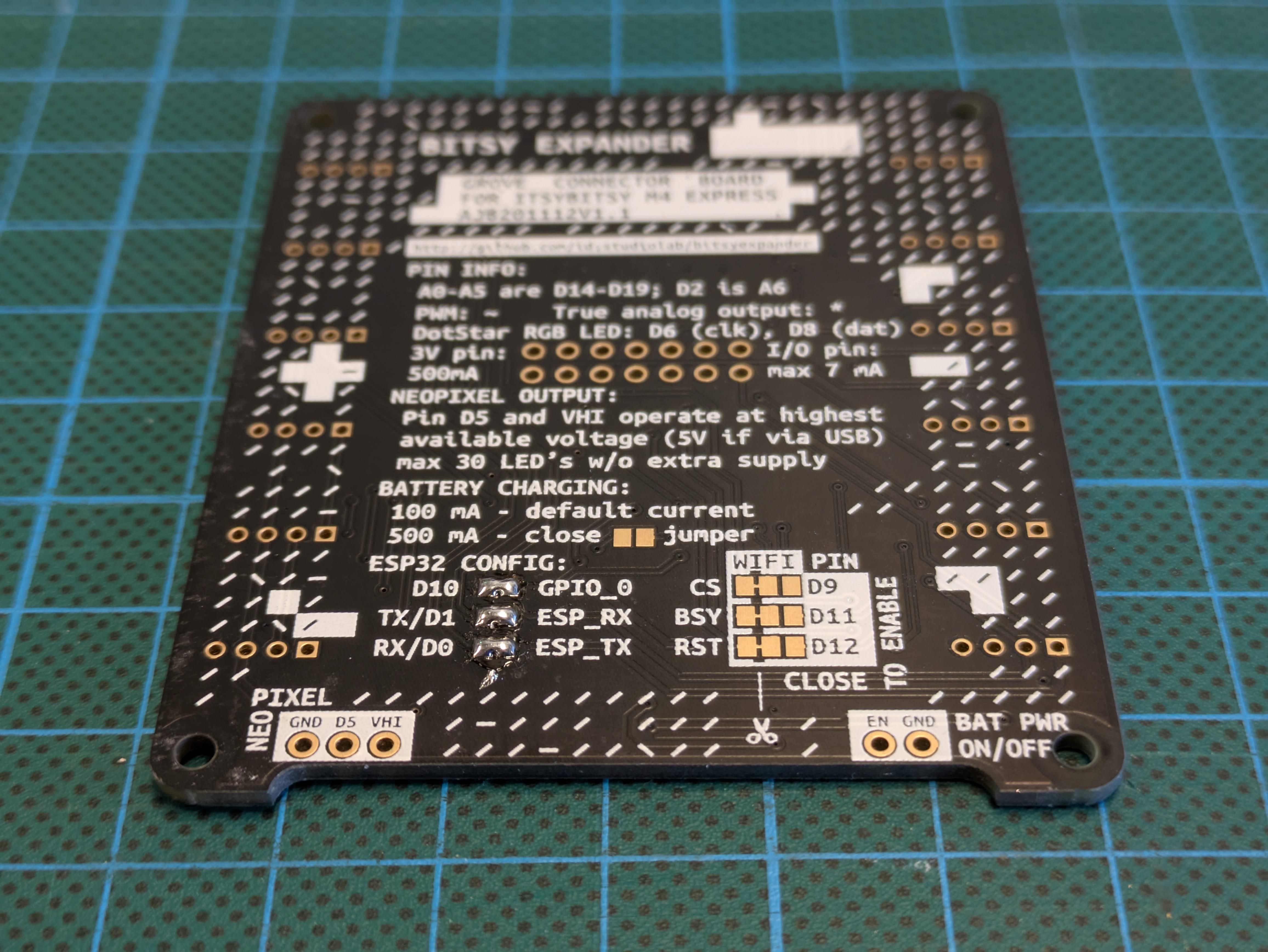
At the back of the bitsy expander bridge the pins of the ESP_RX, ESP_TX, and GPIO_0 pads. As seen in the image below:
Follow the rest of the instruction on this page: https://learn.adafruit.com/adafruit-airlift-breakout/circuitpython-ble
Once you reach the BLE Example code, use the Basic Usage code example below.
Basic Usage
# SPDX-FileCopyrightText: 2020 Dan Halbert, written for Adafruit Industries
#
# SPDX-License-Identifier: Unlicense

# pylint: disable=unused-import
import board
import busio
from digitalio import DigitalInOut
from adafruit_ble import BLERadio
from adafruit_ble.advertising.standard import ProvideServicesAdvertisement
from adafruit_ble.services.nordic import UARTService
from adafruit_esp32spi import adafruit_esp32spi
from adafruit_airlift.esp32 import ESP32

esp32 = ESP32(
    reset=board.D12,
    gpio0=board.D10,
    busy=board.D11,
    chip_select=board.D9,
    tx=board.TX,
    rx=board.RX,
)

adapter = esp32.start_bluetooth()

ble = BLERadio(adapter)
uart = UARTService()
advertisement = ProvideServicesAdvertisement(uart)

while True:
    ble.start_advertising(advertisement)
    print("waiting to connect")
    while not ble.connected:
        pass
    print("connected: trying to read input")
    while ble.connected:
        # Returns b'' if nothing was read.
        one_byte = uart.read(1)
        if one_byte:
            print(one_byte)
            uart.write(one_byte)