Skip to main content
Link
Menu
Expand
(external link)
Document
Search
Copy
Copied
Connected Interaction Kit
Home
Tutorials
Preparation
Tools and Equipment
Installing Mu Editor
Let There Be Light!
Part 1 - Load the program code using Mu Editor
Part 2 - Change the way your microcontroller behaves
Adding Inputs and Outputs
Part 1 - Add an Input Component
Part 2 - Add an Output Component
Connecting To The Internet
Part 1 - Scan for Available Networks
Part 2 - Register Your Device for Use on Campus
Part 3 - Connect to a WiFi Network
Assembling Custom Components
Before you Begin...
Rotary Potentiometer
Tactile Switch
Tilt Switch
Thermistor
Photoresistor
Components
Core Components
Pico
Pico Expander
ItsyBitsy
Bitsy Expander
Solderless Components
IMU Sensor
Servo Motor
Touch Sensor
Piezo Buzzer
Vibration Motor
Sound Sensor
Chainable LED
Time of Flight Sensor
Custom Components
Tactile switch
Rotary potentiometer
Photoresistor
Tilt switch
Thermistor
Advanced Components
Basic Radar Sensor
Bluetooth
Advanced Radar Sensor
Externder
MP3 player
Neopixel helper
Power PWM
Power Servo
Splitter
Motor Driver
Big chainable LED
Archived Components
Chainable RGB LED
LED Pack
Accessories
Breadboard
Glossary
Getting help
Digital Interfaces
CircuitPython Docs
Search Connected Interaction Kit
Getting help
Pinouts
Pinouts
Pinout for the Pico 2W
Original
Pinout for the Pico 2W in the Expander
Original

Pinout for the Itsy Bitsy M4
Original
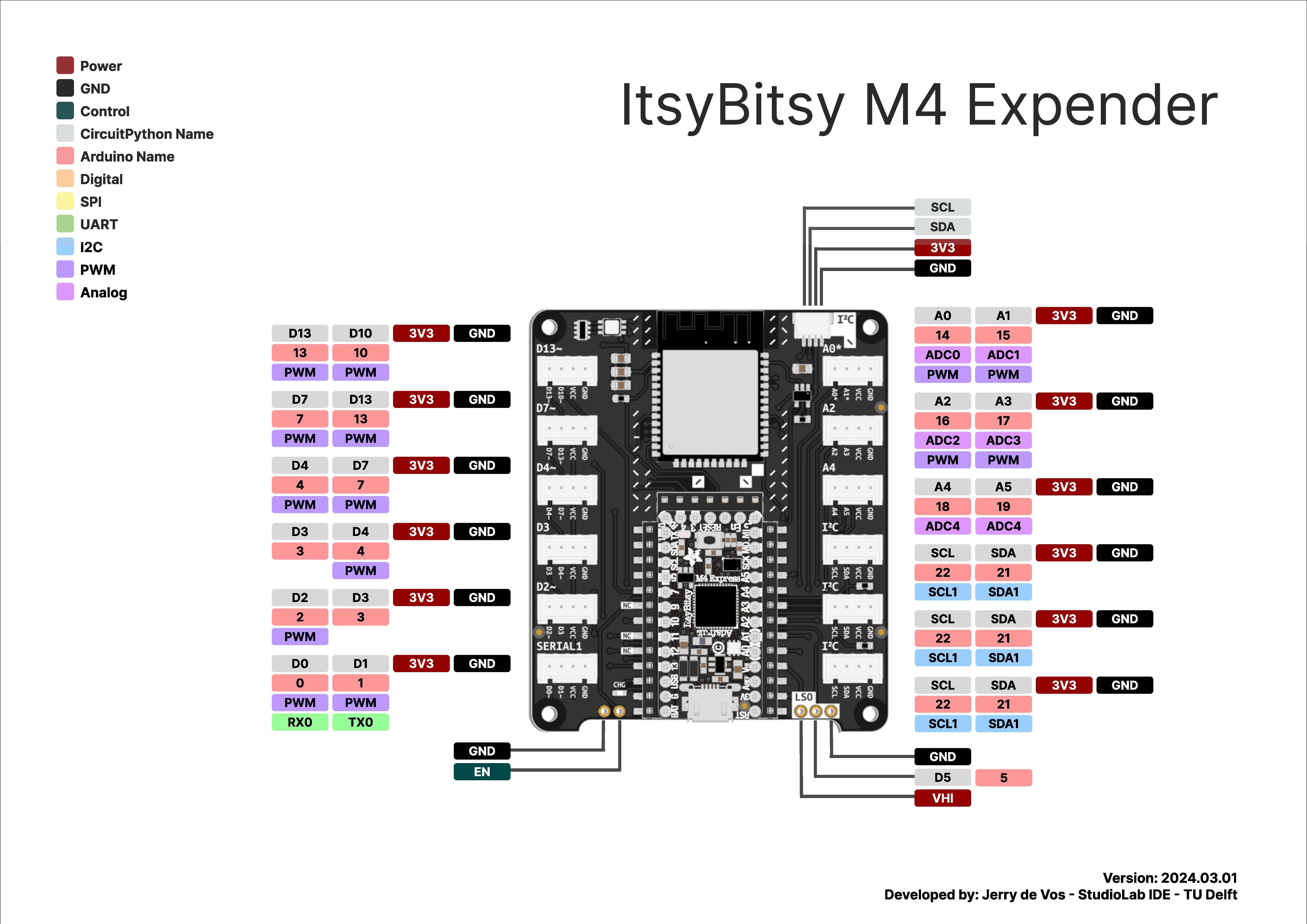
Pinout for the Itsy Bitsy M4 in the Expander
Original

Pinout for the Itsy Bitsy RP2040
Original
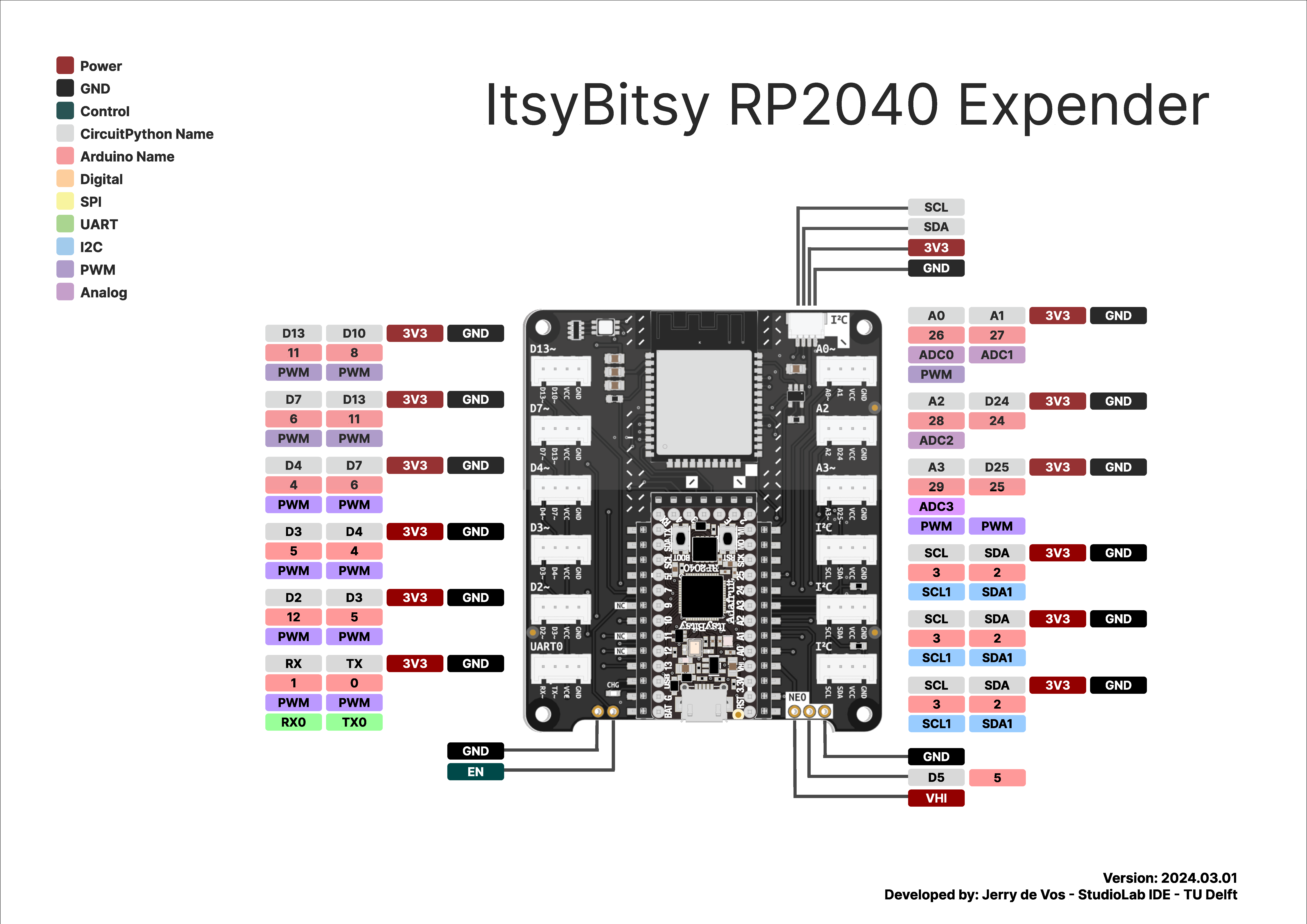
Pinout for the Itsy Bitsy RP2040 in the Extender
Original